Your team
Inviting Teammates
Invite teammates to your PinoyBot workspace and manage their roles.
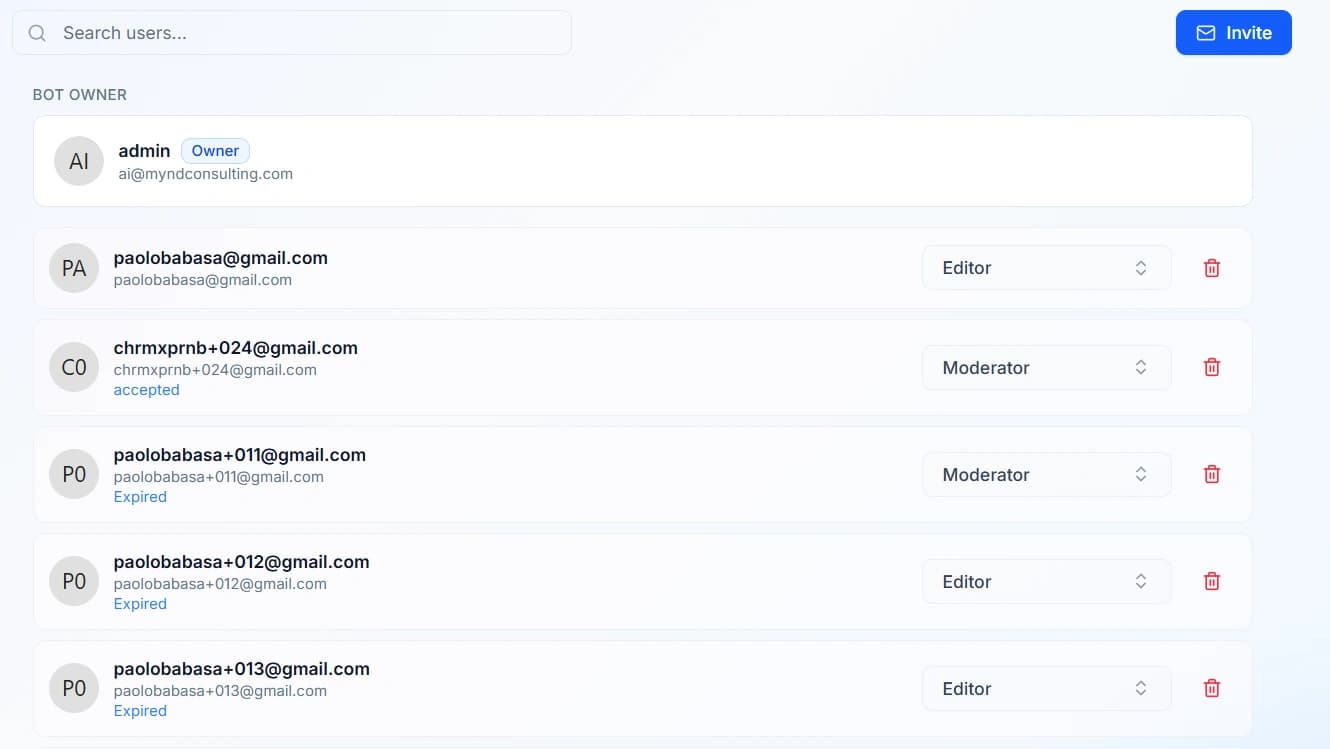
Opening User Management
- Open your PinoyBot dashboard.
- Select User Management from the sidebar.
- From here, you can review your team members and manage outgoing invitations.
Inviting a Teammate
The invitation process depends on whether the person already has a PinoyBot account.
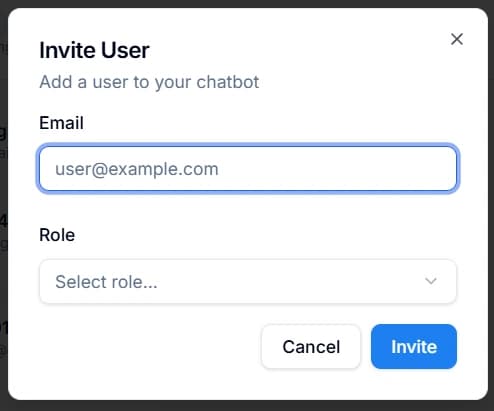
Inviting an Existing PinoyBot User
- In User Management, search for the person and select them from the results.
- Choose the role you want to assign to them.
- Click Invite.
The invited user will receive an email with the invitation details.
Inviting Someone Without a PinoyBot Account
- In User Management, click Invite.
- Enter the person's email address.
- Choose the role you want to assign to them.
- Click Invite.
The recipient will receive an email and need to complete the registration process before accessing PinoyBot.

Managing Invitations and Team Members
User Management also lets you oversee your team's membership.
- Review outgoing invitations to monitor invitations you've sent.
- Check user roles to see the access assigned to each team member.
- Remove team members when they no longer need access to your workspace.
Before sending an invitation, make sure you assign the appropriate role for the person's responsibilities.
You may also want to check out these guides
| Chatbot Dashboard | Learn how to navigate the dashboard |
| Bot Settings | Configure your chatbot's identity and behavior |
| Channels | Connect your chatbot to your website |
Did this fix it?
If you are unable to solve your issue, tell us what happened. You do not need to be signed in.